Tools / Free
Study Inputs Exporter Free
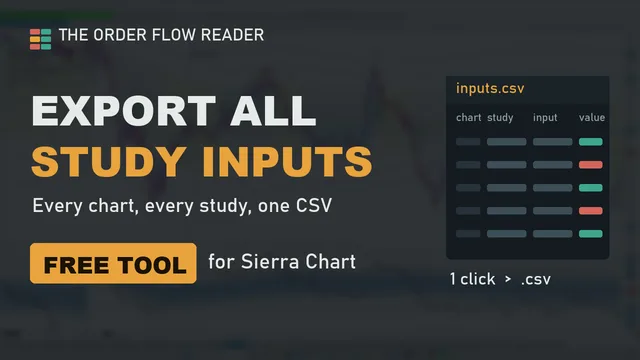
Save every setting of your Sierra Chart chartbook in one click. The exporter writes all the inputs of all the studies of all your charts to a single CSV file you can open in Excel.
Check your inbox. The download link is on its way. Nothing after a few minutes? Look in your spam folder.
Free, no licence, no time limit. Windows 64-bit Sierra Chart. Works with any study: built-in, ours or any other vendor's. How to install
chart_name,study_name,input_index,input_name,value
ESZ6 2.50 Range,TPO Profile Chart,4,Tick Size,0.25
ESZ6 2.50 Range,Volume Weighted Average Price,3,Std Dev Band 1,1
ESZ6 2.50 Range,Numbers Bars,12,Volume Threshold,400
ESZ6 5000 Vol,Cumulative Delta Bars - Volume,2,Reset at Start of Trading Day,Yes
...
One line per input, with the chart, the study ID and the input number as shown in Sierra Chart. Columns shortened for display.
A backup of your settings, finally.
Back up
Keep a copy before you change a study, update a DLL or reinstall Sierra Chart. Hours of tuning are no longer one wrong click away.
Compare
Export before and after. Two CSV files show exactly which input changed, on which chart.
Get support
Send the file with your question to any study vendor, instead of twenty screenshots of Study Settings.
Link studies
Find the study ID and chart number you need to reference one study from another.
Copy, add, export.
- Close Sierra Chart, then copy
OFR_Tools_64.dllinto the Sierra ChartDatafolder (usuallyC:\SierraChart\Data). - Restart Sierra Chart. On any chart, open Analysis > Studies > Add Custom Study and add OFR Study Inputs Exporter (Free). It draws nothing on the chart.
- Open its settings, set Export now to Yes and click OK. One exporter covers the whole chartbook.
- The file path appears on the chart and in Window > Message Log. By default the file goes to the
Datafolder, namedstudy_inputs_<chartbook>_<date>_<time>.csv.
 1:43
1:43
Questions
What is in the file?
Only study settings: chart, study, input name and value. No account, password, order or position information.
Does it restore the settings?
Not yet. Today it exports; you restore by hand from the file. A restore tool is being looked at.
Can I share it?
Yes, as it is (unmodified). Send people to this page so they get the latest version.
Windows says the file is blocked.
Right-click the DLL, Properties, tick Unblock, then restart Sierra Chart.
Order flow & market profile tools for Sierra Chart.
The full suite reads ES from context to execution: Market Context, Composites & Key Levels, Session Narrative, Cumulative Delta, Footprint Patterns and Absorption Pro.